Module 3 - Nested Queries, division and views
Nested queries
- A nested query (often termed subquery) is a query that appears within another query
Non-Correlated queries
- Results are returned from an inner query to an outer clause
- Subqueries are evaluated from the “inside out”
- The outer query takes an action based on the results of the inner query
Example
Find the IDs and names of stars who have NOT been in the movie with ID 28:
- Movie [movieID, title, year]
- StarsIn [movieID, starID, role]
- starsIn.movieID references Movie.movieID
- starsIn.starID references MovieStar.starID
- MovieStar [starID, name, gender]
SELECT  M.starID, M.name
FROM     MovieStar M
WHERE  M.starID NOT IN
   (SELECT  S.starID
    FROM     StarsIn S
    WHERE  movieID=28
   );
Correlated Queries
- Conditions in subquery WHERE clause have references to some attributes of a relation in the outer query
- The outer SQL statement provides the values for the inner subquery to use in its evaluation
- The subquery is evaluated once for each (combination of) tuple in the outer query
Example
Find the names of departments that are managed by the same employee.
- Department [dNumber, dName, mgrSSN, mgrStartDate]
- Department.mgrSSN references Employee.ssn
- Employee [ssn, name, dob, address, sex, salary, mgrSSN, dNum]
- Employee.dNum references Department.dNum
- Employee.mgrSSN references Employee.ssn
SELECT dName, mgrSSN
FROM Department D1
WHERE mgrSSN IN
  (SELECT mgrSSN
   FROM Department D2
   WHERE D2.mgrSSN = D1.mgrSSN AND D2.dNumber <> D1.dNumber);
Subquery operators
| Operator | Description | Example |
|---|---|---|
IN |
Checked for set membership | List the department names for departments which have a manager named “Jennifer”. 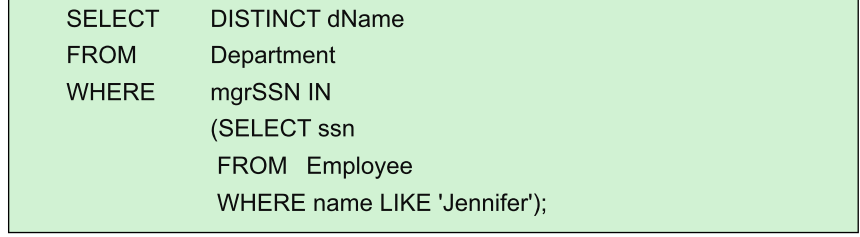 |
ANY/ALL |
Compares with the set returned. These operations use operators including | 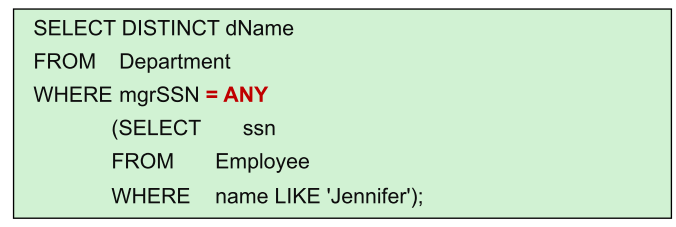 |
| Single value operators | Expression is compared with the value(s) returned | Find the names and salaries of employees getting the minimum salary. 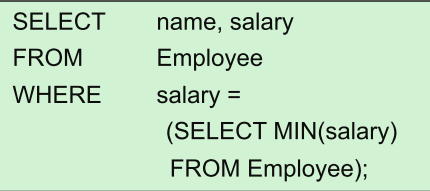 operations include |
EXISTS |
Tests the existence of data that meet the criteria of the subquery. EXISTS evaluates to true if the result of the correlated subquery is a non-empty set. | Find movies that were the only movie produced that year. 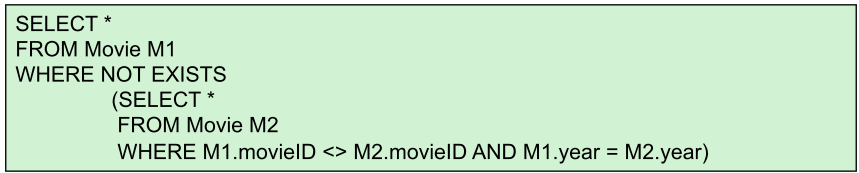 |
Division problem
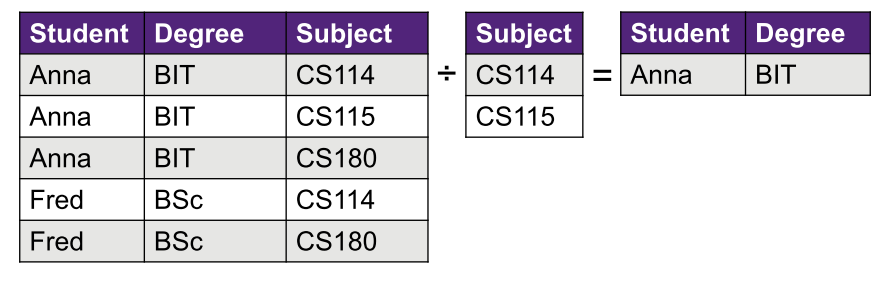
- Division is useful for answering queries which include a “for all” or “for every” phrase, e.g., find movie stars who were in all movies.
Counting
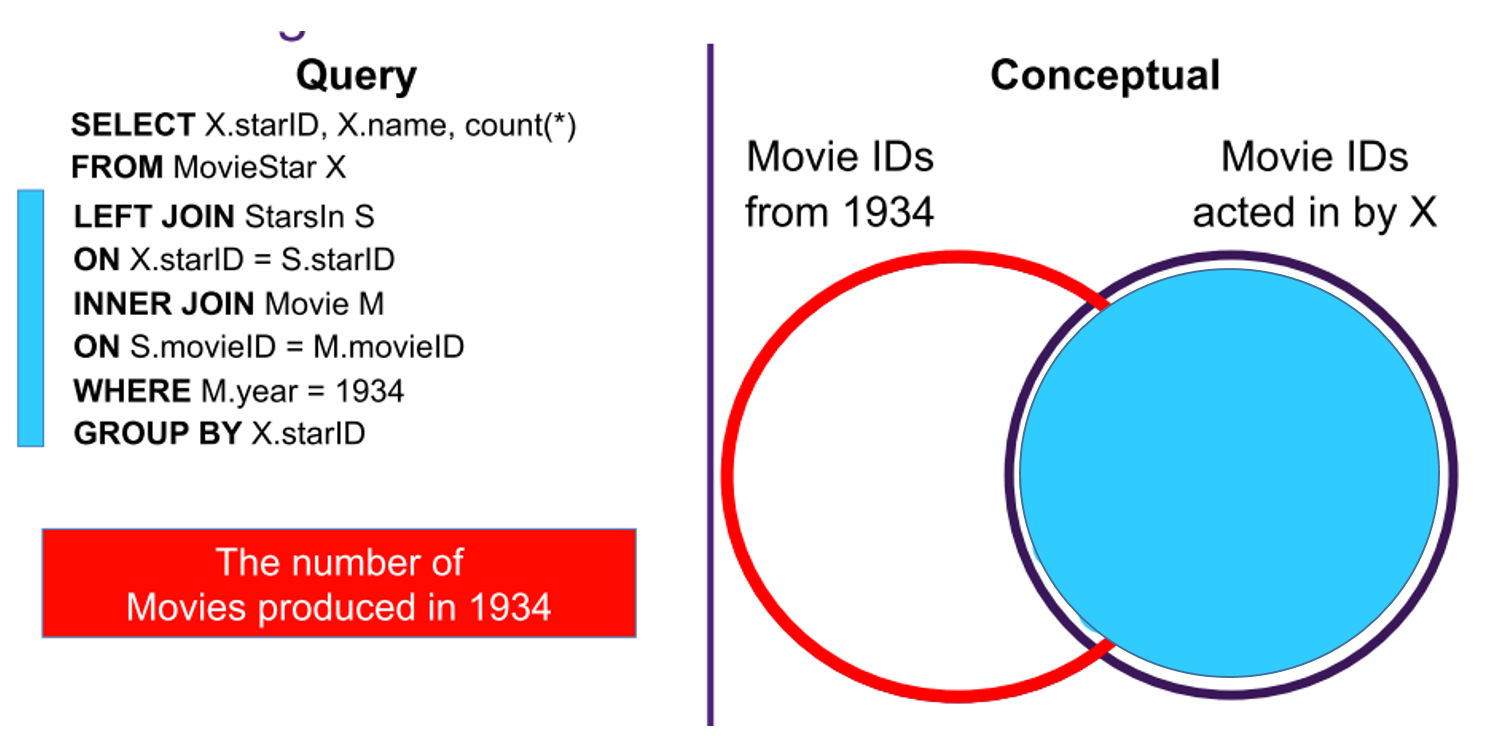
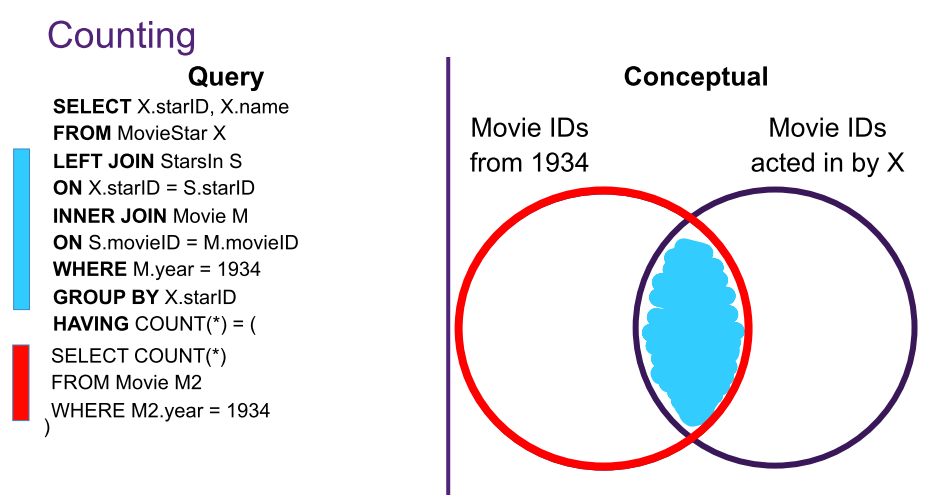
“Find the movie star(s) who acted in at least all the movies produced in the year 1934.”
Relational Schema
- Movie [movieID, title, year]
- StarsIn [movieID, starID, role]
- starsIn.movieID references Movie.movieID
- starsIn.starID references MovieStar.starID
- MovieStar [starID, name, gender]
A two step process:
- Count the number of movies in 1934
- Count the number of movies in 1934 that MoviesStar X acted in
STEP 1:
STEP 2:
Double negation
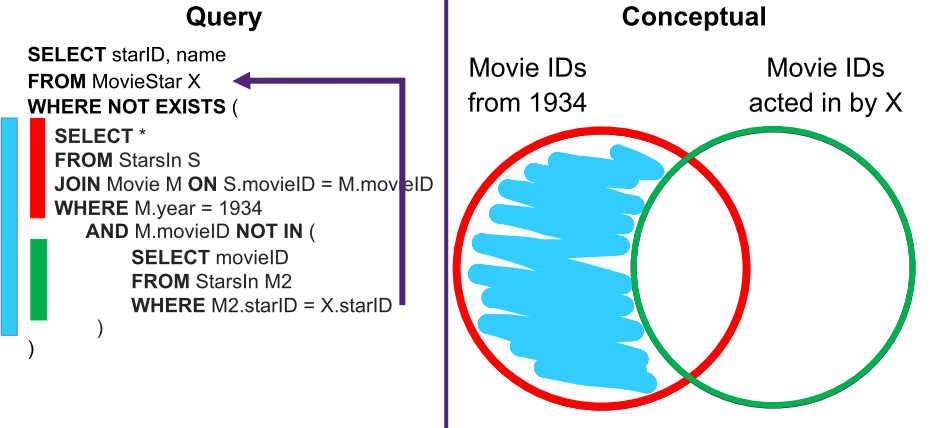
“Find the movie star(s) who acted in at least all the movies produced in the year 1934.”
- Find the negation of the statement - in this case, the blue region of the diagram. We want this section to be EMPTY and apply this negation through the use of a
NOT EXISTSoperation. - Use a correlated inner query to compute the result
- For instances where the blue is NOT NULL (empty) we will not return a result
- For instances where the blue is NULL (and this is where both the green and the red is true) we will return a result
STEP 1:
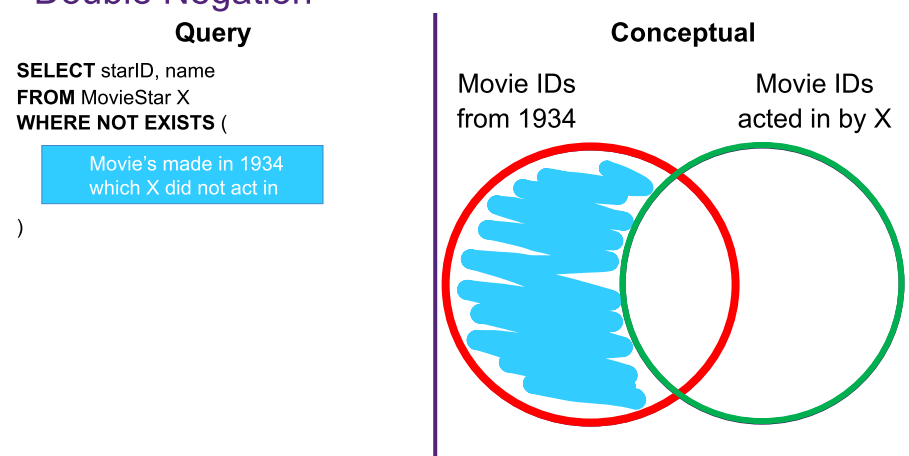
- logic here: If there are Movie ID's in 1934 that are not acted by MovieStar X - then we have a problem!
STEP 2:
- Fill in the blue - find all the movie ID's made in 1934 by MovieStar X which X did not act in

Views
- Virtual tables - that do not physically exist on disk.
- Materialized - by physically creating the view table. These must be updated when the base tables are updated
CREATE VIEW DepEmpStatus as
SELECT  dNumber, dName, sex, COUNT(*) AS employeeNumber, AVG(salary) as avgSalary
FROM  Department AS D
JOIN     Employee AS E ON D.dNumber= E.dNum
GROUP BY   dNum, sex;

SELECT *
FROM DepEmpStatus;
Benefits of using views
- Simplification: Views can hide the complexity of underlying tables to the end-users.
- Security: Views can hide columns containing sensitive data from certain groups of users.
- Computed columns: Views can create computed columns, which are computed on the fly.
- Logical Data Independence: Views provide support for logical data independence, that is users and programs that access the database are immune from changes in the logical structure of the database.
Dropping views
Dropping a view does not affect any tuples from the underlying relation.